When looking for the best camera phone, there are plenty of options out there with cameras in smartphones that never stop to get better and better. From new smartphones like the Oppo Find X3 Pro with its microlens camera and the OnePlus 9 Pro with its Hasselblad tuning, to the impressive zoom of the Samsung Galaxy S21 Ultra, and the great general photo performance of the iPhone 12 Pro Max, there are loads of top choices.
There’s a lot to consider though – not just the types of lenses but also how many lenses a phone has, how many megapixels it has, how it holds up in low light, and what the software’s like, among other things. Picking the best camera phone involves more than just looking at a specs list, and depending on what your photographic priorities are, the best one for you might not be the best for everyone. Between different lenses and performance variance in daytime and night, there’s a lot to consider.
So today, Nae tech is back again with the top 3 phones which have been collected and studied for their good cameras.
So one not you dig in and find out more from the list below
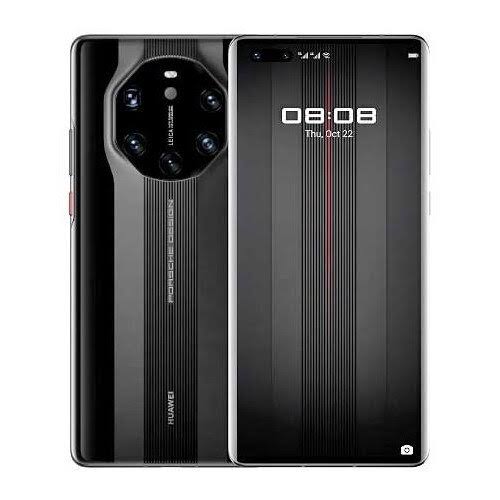
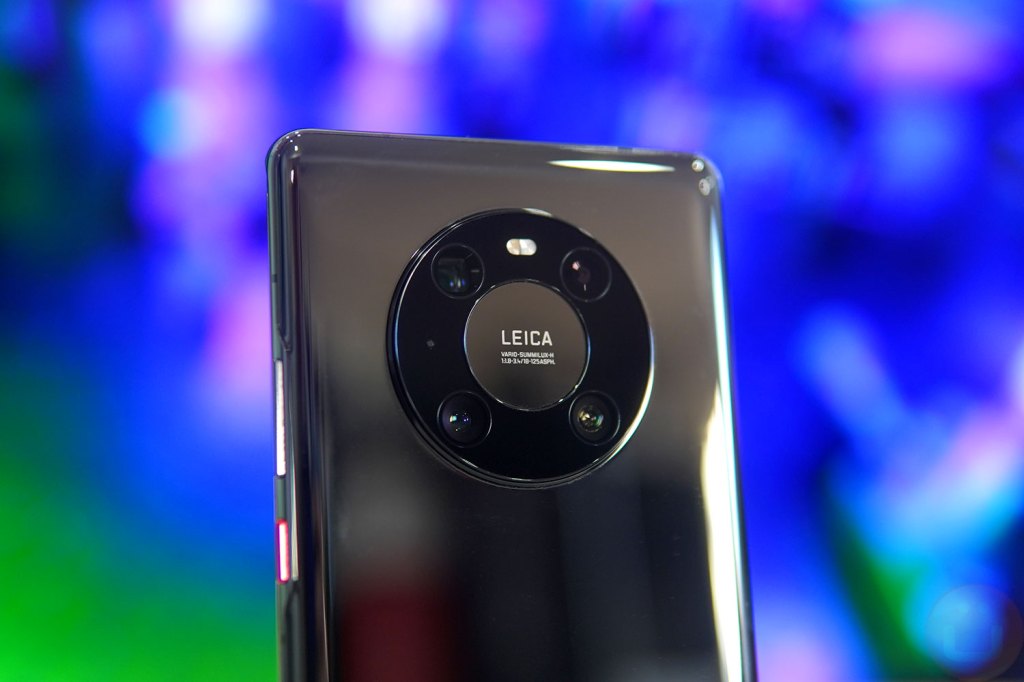
Huawei mate 40 pro camera
1. Huawei mate 40 pro
Specification
Release date
November 2020W
Weight
212g
Dimensions
162.9 x 75.5 x 9.1 mm
OS
Android 10
Screen size
6.76-inch
CPU
Kirin 9000 5G
RAM
8GB
Storage
256/512 GB
Battery
4,400mAhRear
Rear Camera
50MP + 12MP + 20MP
Front Camera
13MP
huawei mate 40 pro specification
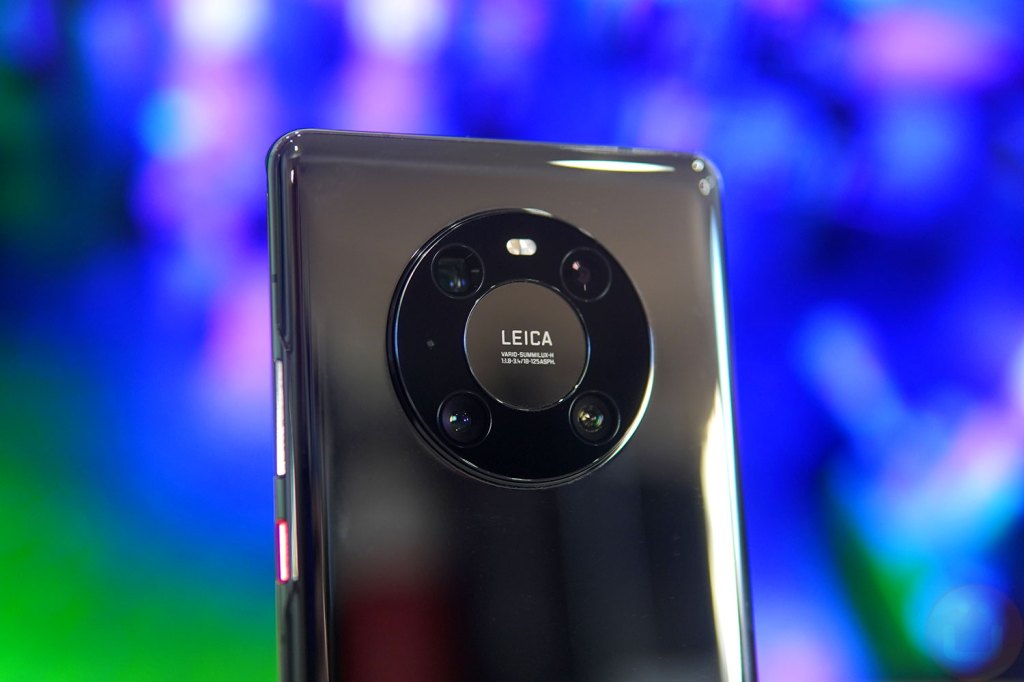
This device cameras are exceptional. It has a 50MP f/1.9 main camera, a 12MP f/3.4 periscope one (with 5x optical zoom), and a 20MP f/1.8 ultra-wide one.
While that’s not quite as many lenses as some rivals, it’s got all the most important kinds accounted for, and they all perform very well.From portrait shots to wide landscapes, zoomed photos, and close up subjects, we found in our review that the Huawei Mate 40 Pro could cope brilliantly with just about every kind of photo.
It even does a great job in low-light conditions.And while our focus is the rear snappers, the Huawei Mate 40 Pro also has a decent setup on the front, with a 13MP f/2.4 camera joined by a time-of-flight (ToF) sensor for sensing depth.There are loads of photography modes and tools available on the Huawei Mate 40 Pro as well, from a light painting feature to a dedicated moon photography mode.
Announced last month as the top device in the iPhone 12 family, the iPhone 12 Pro Max features the largest screen and the most impressively specified main camera of Apple’s new batch of phones.
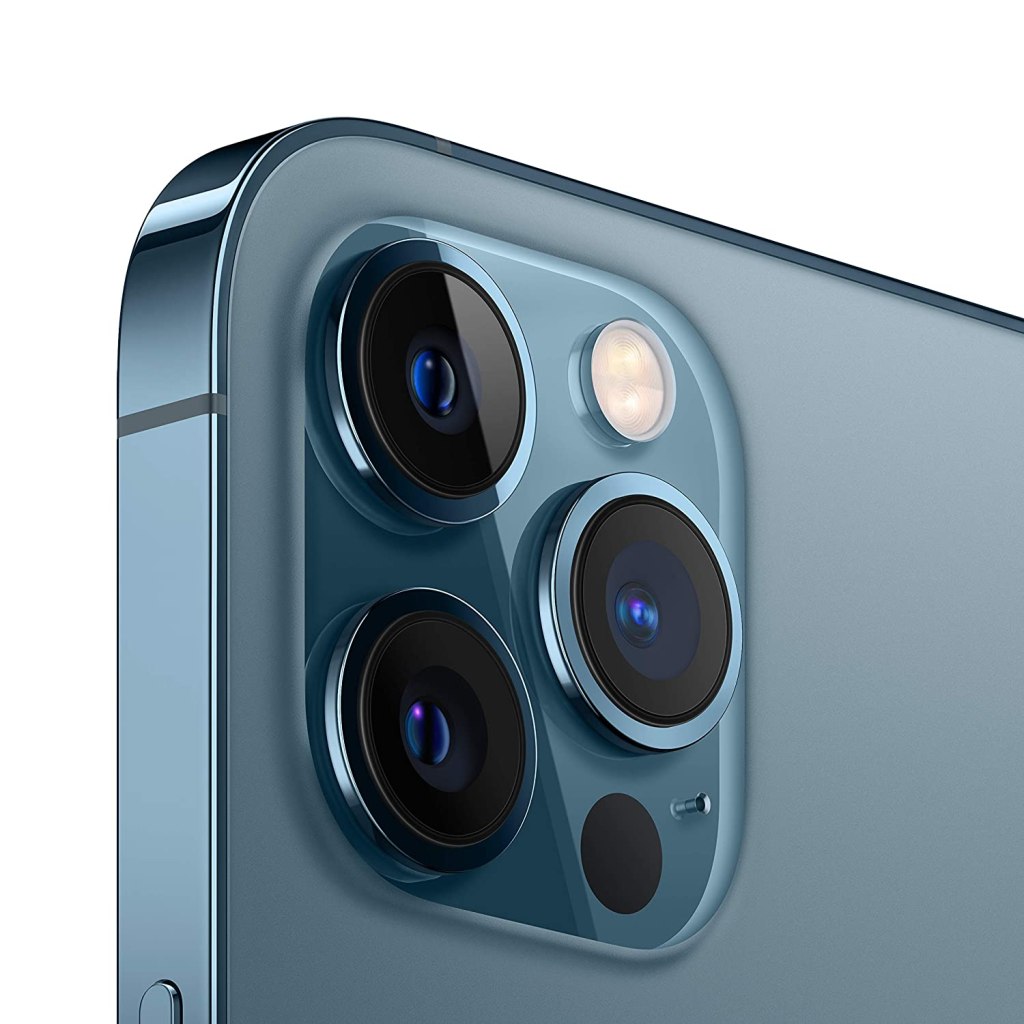
The main wide camera has a 26 mm-equivalent f/1.6 lens in front of a 12 MP sensor with 1.7µ photo sites (larger than the 12 MP 1.4µ sensor in the iPhone 12 Pro and the iPhone 11 Pro Max).
It also features a sensor-based optical stabilization system, a first for Apple (most phone camera modules shift the lens rather than the sensor to offset camera movement).
There’s an ultra-wide 13 mm-equivalent camera and a 65 mm-equivalent tele-module that offers a 2.5x zoom over the main camera (a bit more reach than the iPhone 11 Pro Max or 12 Pro), and an unusual LiDAR sensor for building depth maps.On paper, the iPhone 12 Pro Max has the most impressive imaging capabilities to date in an Apple phone.
The devices camera array starts with a 108MP wide camera with a a f/1.8 aperture, and it’s paired with a 12MP ultra-wide camera with a 120-degree field of view and f/2.2. The 12MP telephoto lens delivers a 5x optical zoom and up to a 50x super resolution zoom.
The Note 20 Ultra’s camera is also incredibly easy and fun to use, and it benefits from extras like 8K video and Single Take mode, which takes a bunch of photos and videos at the same time using the various lenses and modes, to increase the chance of you capturing something good.Low-light photos aren’t quite as detailed as some of the competition, such as the iPhone 12 Pro Max, but otherwise this is an exceptional camera setup
Huawei be like back again with a new, unique and special device , the Huawei mate 40 pro.
There is a lot to love about this new and admirable device, starting from the fantastic cameras, great build design, battery life, top-notch performance, the mate 40 pro shines.
There’s a lot to say about this device but I’ll begin with the special functions and parts of this device, starting from
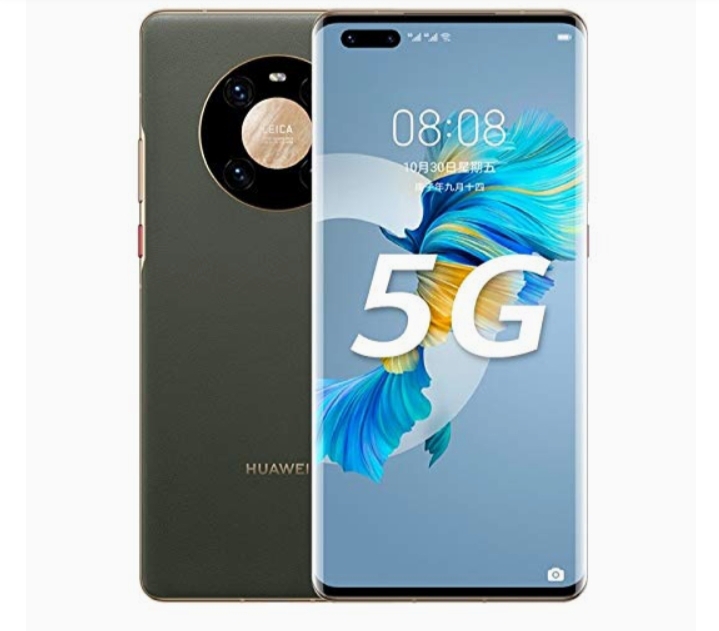
Huawei mate 40 pro 5G
1. 5G support
One of the most exciting thing about this device is the fact that this device supports the 5G network, seams like not only is Huawei staying updated to the surprisingly amazing cameras and builds of phones of the generation, but they are also and most importantly staying updated to the network of this generation.
Currently, the 5G network had become one of the most considered part of choosing a device, and luckily for us, Huawei is staying up to date with that fact.
5G is the 5th generation mobile network. 5G wireless technology is meant to deliver higher multi-Gbps peak data speeds, ultra low latency, more reliability, massive network capacity, increased availability, and a more uniform user experience to more users.
5G offers massive speed improvements and lower latency compared to existing networks, making your online experience better in almost every way.
In telecommunications, 5G is the fifth generation technology standard for broadband cellular networks, which cellular phone companies began deploying worldwide in 2019, and is the planned successor to the 4G networks which provide connectivity to most current cellphones.
5G moves with a speed of 10 gigabits per second
Some of the compound of the 5G network are
Data network (DN), e.g. operator services, Internet access or 3rd party services.
User plane function (UPF)
Core access and mobility Management function (AMF)
So next time you think of 5G, think of Huawei Mate 40 pro
Huawei mate 40 pro camera
2. Camera
Ever since the very beginning Huawei has been really good in cameras, but it seems like now Huawei has taken an update in their cameras in this Huawei mate 40 pro.
The Huawei mate 40 pro is known and addored for it’s camera.
awei Mate 40 Pro offers wonderful pictures of high quality. It has the main camera which is Triple, It has 50 MP, f/1.9, 23mm (wide), 1/1.28″, 1.22µm, omnidirectional PDAF, Laser AF, It has 12 MP, f/3.4, 125mm (periscope telephoto), PDAF, OIS, 5x optical zoom, It contains 20 MP, f/1.8, 18mm (ultrawide), PDAF, It has features such as Leica optics, LED flash, panorama, HDR.
Huawei Mate 40 Pro offers superb selfies, It presents a video of 4K@30/60fps, 1080p@30/60/120/240/480fps, 720p@960fps, 720p@3840fps, HDR, gyro-EIS, it has a selfie camera which is Dual 13 MP, f/2.4, 18mm (ultrawide), it offers TOF 3D, (depth/biometrics sensor), it includes features such as HDR, panorama, It has a video of 4K@30/60fps, 1080p@30/60/240fps, the images, videos & text look very sharp & clear, it can take superb images without losing any details.
Huawei Mate 40 Pro presents lots of RAM & a large memory, It has a high expandable memory via card slot NM (Nano Memory), up to 256GB (uses shared SIM slot), It offers a high internal memory of 256GB 8GB RAM, It offers 512GB 8GB RAM that is very useful for multitasking performance, It has UFS 3.1, It presents a high-end processor & graphics processor.
Huawei Mate 40 Pro dimension of 162.9 x 75.5 x 9.1 mm while it weighs 212 grams. The device is powered by the Kirin 9000 5G Octa-core processor while the GPU is Mali-G78 MP24. The smartphone is pack with 8 GB RAM and 256 GB internal storage.
Huawei mate 40 pro battery test
4. Battery
We spend around 12-17 hours with the phone off the charger, with mostly Wi-Fi connectivity, an hour or so of 5G, Bluetooth always on (with an hour or so of music streaming and an hour or two of calls), and location always on (with around half an hour of GPS navigation).
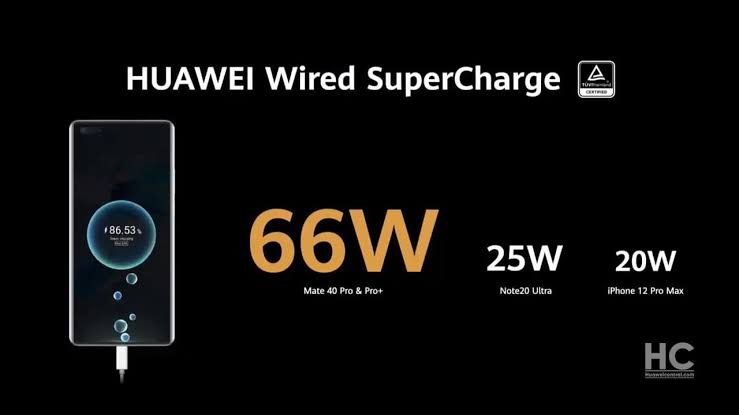
Huawei Mate 40 Pro takes about 49 minutes to recharge 100% battery, with recommended Huawei charger.
Huawei mate 40 pro display
5. Display
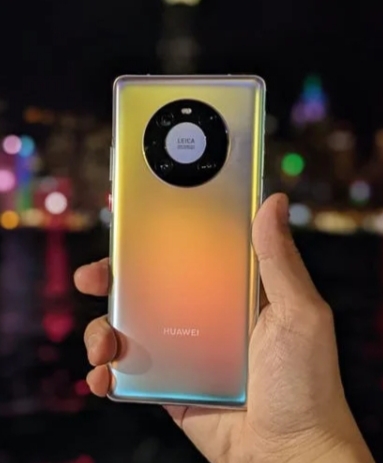
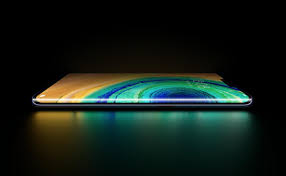
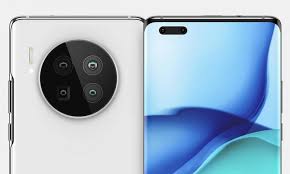
You might find the camera bump pretty eye-catching – it’s a big circle, with the lenses mounted within, as well as the flash module. It doesn’t stick out too much, and gives the phone a distinct and commanding look, as if telling the subject of your photo ‘you’re being snapped by one of the best camera phones out there’.Display6.76-inch OLED displayColors look great90Hz refresh rate lags behind competitionThe Huawei Mate 40 Pro display looks pretty great, though the paucity of streaming service apps means that opportunities for enoying it are somewhat limited.AdvertisementThis screen is 6.76 inches diagonally, which is pretty big, but as we’ve mentioned the design goes some way in mitigating any issues with this. It has a 2772 x 1344 resolution, which is higher than that of many other phones (most stick with 1080p) and as a result images look sharp.
Huawei mate 40 pro display
The OLED HDR10 tech makes colors pop – Huawei claims that the display shows off 16.7 million colors, although we didn’t stop to count. The high max brightness helps with this too.Huawei Mate 40 Pro(Image credit: Future)Fast screen refresh rates are the latest battleground in the smartphone spec wars, but the Huawei Mate 40 Pro caps out at 90Hz, which some might find a little low for a premium smartphone (others hit 120Hz or 144Hz). You can dial this down to 60Hz if you like, which saves battery, but we went with the dynamic mode option, which automatically switched between the two depending on what you’re doing.If we have one issue with the Mate 40 Pro display, it’s the pill-shaped cut-out that houses the two front-facing cameras at the top-left of the screen. It’s not exactly small, with quite some distance between the two lenses, so it cuts a fair amount out of your viewable area.
6. software
Huawei mate 40 pro software
Uses EMUI 11 laid over Android 10
No Google apps, including Play Store
Huawei’s AppGallery is hit-and-miss
We’ve finally reached the elephant on the phone, the apps situation. We could write thousands of words about AppGallery’s strengths and weaknesses, but to cut it down to six: ‘AppGallery is no Play Store replacement’.
AppGallery does have plenty of apps, but few of the popular ones you’ll likely have installed on your Android device or iPhone. There are few social media apps save Tiktok and Snapchat, no major entertainment services like Netflix, Amazon Prime Video or Spotify, and a relatively trim list of games. We found the social media absence the real killer – we had to use a second phone alongside the Mate 40 Pro for WhatsApp, Instagram, Twitter and the Facebook suite.
Huawei app gallery
There’s a strange, though not unwelcome, focus on regional apps in AppGallery. In the UK we were recommended plenty of apps from national retailers, catch-up apps from certain channels, telecoms hubs and banking services, and we’d imagine in other countries, you’ll find plenty of apps for you. The UK’s All4 is no substitute for Netflix, though.Advertisement
Perhaps the most annoying absence here is Google’s own apps – especially, of course, the Play Store, but the others too. The lack of Google Drive leaves no mainstream cloud storage services available; Google Maps’ replacement, TomTom GO, is slow, costs money, and only gives driving instructions; the Huawei news feed, replacing Google News, exclusively recommended us tabloid stories, with an emphasis on celebrity clickbait. Some of the Google services are actually available via the browser app, but you shouldn’t have to rely on this kind of workaround to access apps.
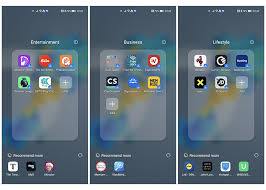
We’ve also got to query the way Huawei handles its apps. When you turn on the phone for the first time, the menu is littered with folders of app icons – these aren’t actually installed on the phone, so we can’t accuse them of being bloatware, and you have to click them to download the app. Still, this feels a little too pushy in the way it encourages you to download the apps – and in the case of dating apps like Tinder and Badoo, whether they’re pre-installed or not you might not be comfortable with having those icons on your phone for a partner, or acquaintances, to see.
To its credit, Huawei does seem proactive in bringing new apps to AppGallery, and in the next few months or years we’ll almost certainly see its app roster swell. But until there are more of the bigger apps you likely use in your current smartphone, it’s hard to recommend the Mate 40 Pro as your next handset.
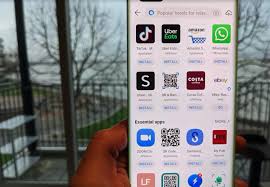
There is a potential remedy to the app problem in the form of ‘Petal Search’ which comes installed on the phone – it lets you search for non-app-store ways to install apps, like APKs, straight from the app website, or similar. This technically lets you install apps you otherwise wouldn’t be able to find like WhatsApp and Instagram, and the vast majority of apps you likely use every day are included, though not every single app.
Some might find Petal Search solves all their app problems, especially for social media, with many popular platforms available this way. We didn’t actually use most apps downloaded this way, as our WhatsApp backup and social media logins are tied to our Google account, which means we can’t access them on the phone.
For people who aren’t in that position, or just want some extra services and games not available through the AppGallery, it’s a valid option. However if your accounts on games, shopping apps and more are tied to your Google log-in, you might have issues. For more information on Petal Search check out Huawei’s website here.
Beyond the app situation, the phone runs Android 10 (Google banned Huawei from using its apps and services, not Android itself) with EMUI 11 laid over the top.
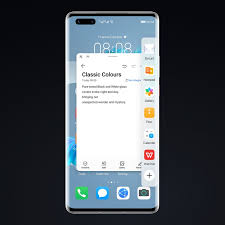
We’re big fans of EMUI – it has loads of options to change the way the phone works, from visual tweaks (Dark mode, Eye Comfort filter, the ability to change color temperature) to functional (editable always-on display, various navigation options, useful pre-installed apps). It brings quite a big visual overhaul from stock Android, with vibrant backgrounds and app icons, which helps you appreciate the display technology.Advertisement
As with most Huawei phones, EMUI has a built-in step counter, potentially making your fitness tracker redundant if you like this kind of information, though it’s likely not as accurate as a dedicated device.
Good Things
Dual stereo speakers.
IP68 rating against dust and water.
Beautiful 90Hz curved 3D display.
Excellent image and video quality
Kirin 9000 5G enabled chipset and highly efficient.

 Nae Tech