Oppo find x3 reviews

OPPO find x3 reviews

You might know of Oppo as a company opaquely related to OnePlus, but it recently became the leading smartphone maker in China — the beneficiary of Huawei’s sanctions-induced slide in sales even in its home market. As such, the new Find X3 Pro flagship is an important handset for the company, presenting an opportunity to solidify its place as a major player in premium smartphones.

And this time around, Oppo isn’t keeping the Find X3 Pro in China. The company still doesn’t sell phones in the US, but there are international models with Google services available in countries like the UK, where it starts at £1,099 (about $1,500). If you have the option and you’re shopping for a high-end phone, it’s worth checking out, because this is one of the sleekest Android devices you’ll see this year.
Oppo find x3 pro

GOOD STUFF

  • Sleek design
  • Great design
  • Strong all-around performance

Bad stuff

  • Microscope camera is cool but no every useful
  • No periscope telephoto
  • Expensive and not wildly available world-wide

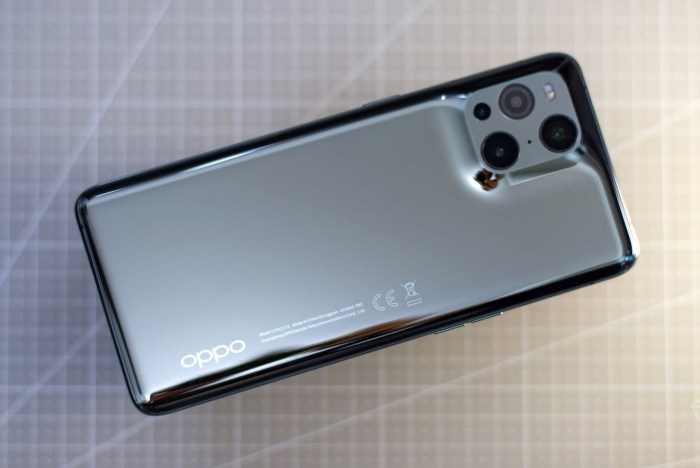
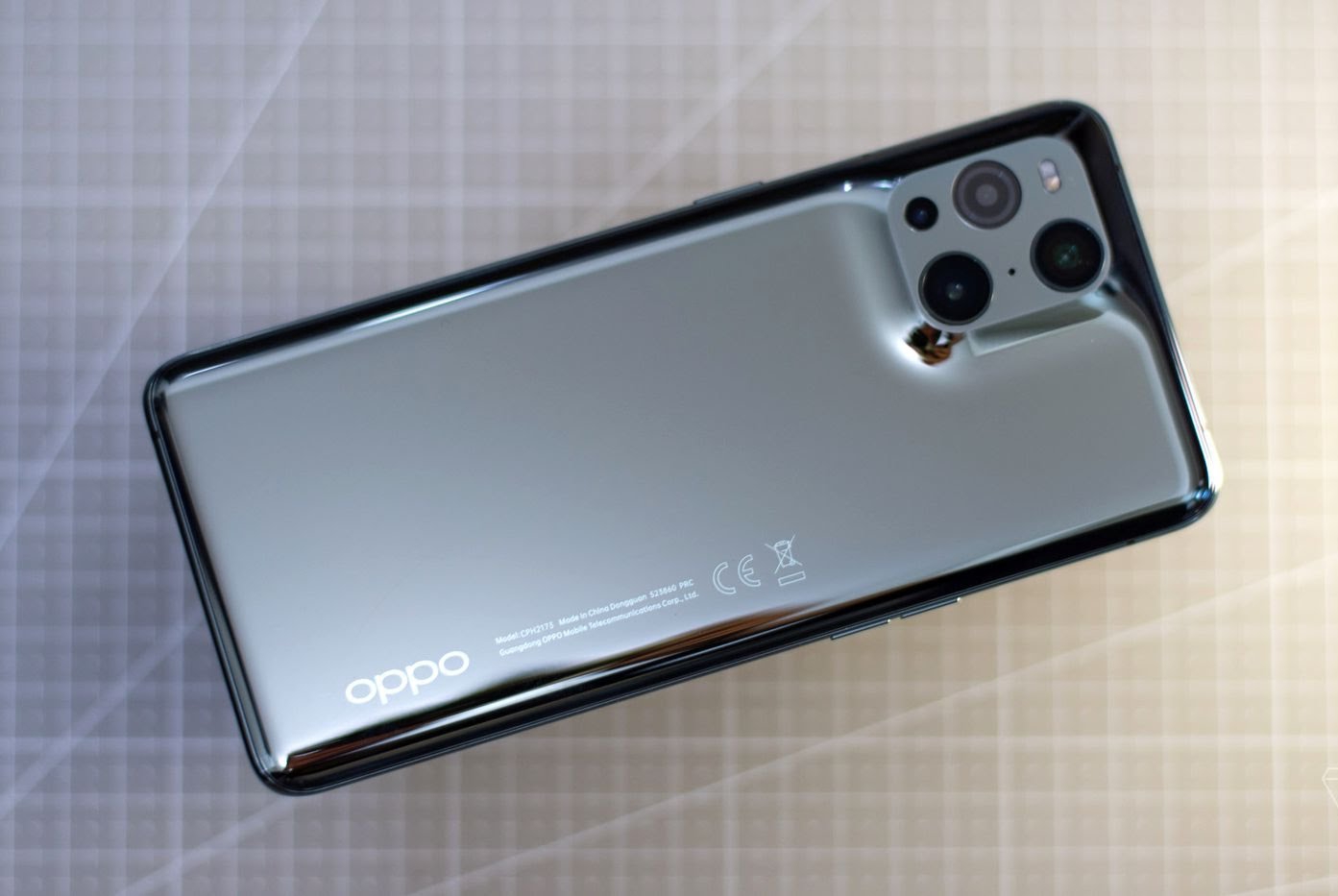
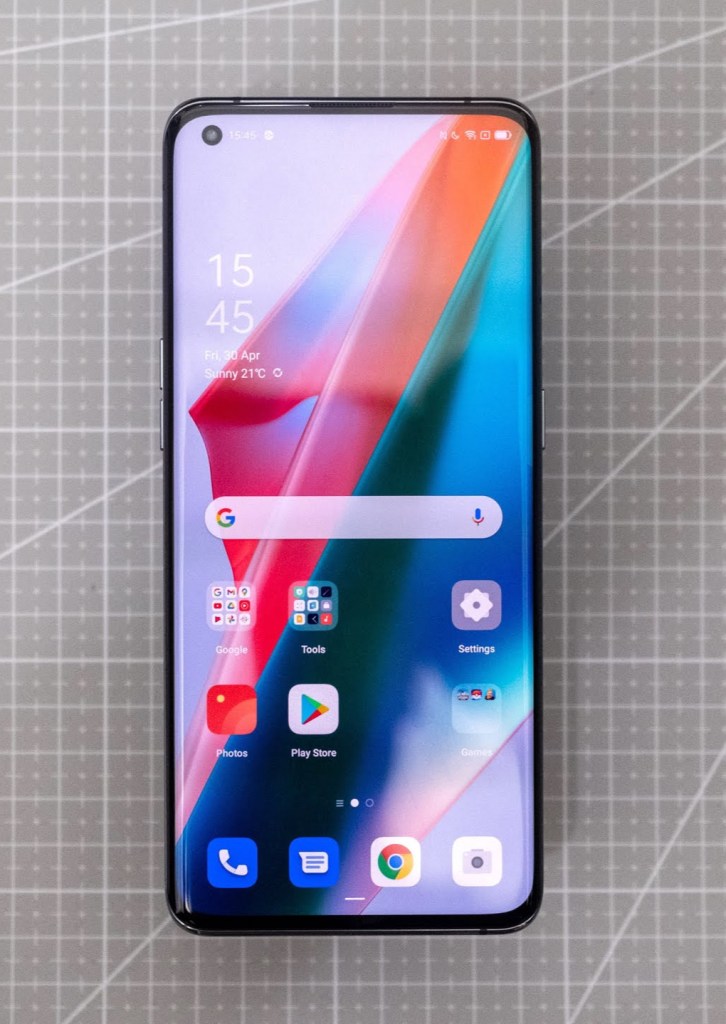
From the front, the Find X3 Pro looks almost identical to the OnePlus 9 Pro. Both phones have a 6.7-inch 1440p 120Hz curved OLED screen with a hole-punch selfie camera in the top left; since Oppo and OnePlus share a supply chain, it’s almost certainly the same Samsung panel.Turn the Find X3 Pro around, though, and it looks nothing like the OnePlus — or any other phone, really. The camera bump is somewhat reminiscent of the iPhone 12 Pro in its arrangement of three lenses within a rounded square, but the bump is part of a single piece of glass that smoothly rises up to accommodate the cameras. Coupled with the mirrored finish, it makes the phone look like something out of Terminator 2 — at least until you get your fingerprints all over it.The Find X3 Pro feels relatively light and thin for a 2021 flagship phone, at 193g and 8.3mm thick, and the total lack of sharp edges anywhere on the device makes it very comfortable to hold. I’ve also been using it with an included Kevlar-style case that preserves almost all of the device’s thinness, which is a relief because this is one phone I would not want to risk dropping.
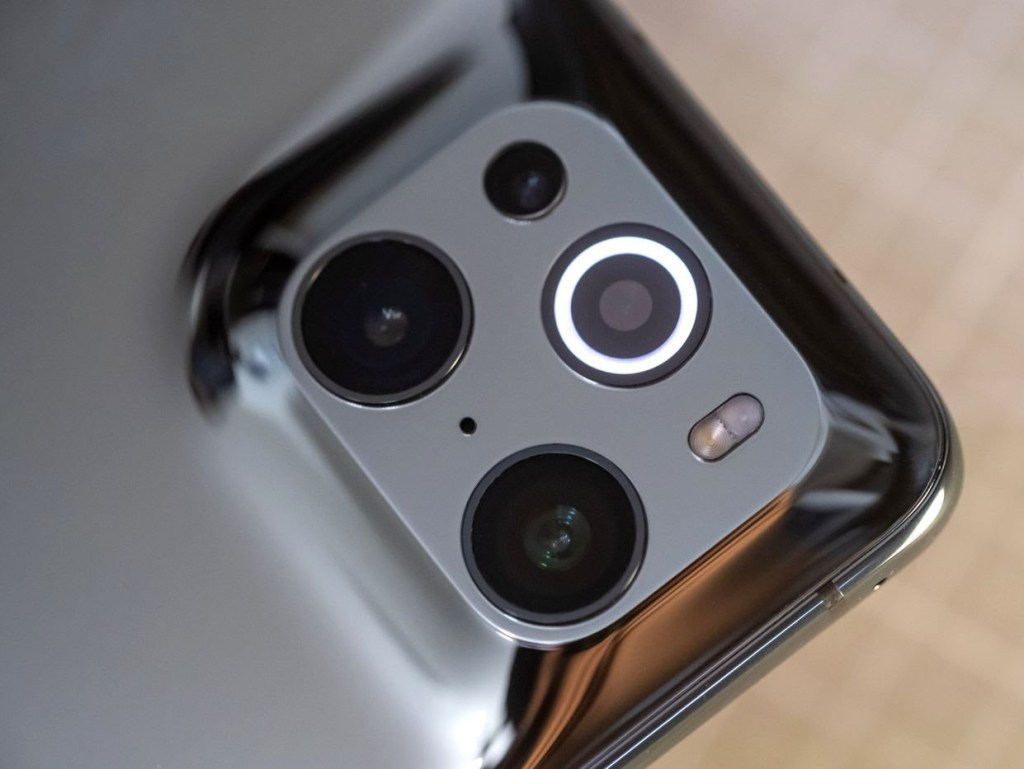
The Find X3 Pro has a microscope camera with a built-in ring light.

Like the OnePlus 9 Pro, the Find X3 Pro has a very good screen. However, Oppo is aiming to differentiate it with what it describes as the first full-path 10-bit color management system for Android, allowing you to capture and view more than a billion colors as opposed to the 16.7 million on other devices. The Find X3 Pro software even includes eye tests to help the display compensate for various forms of color blindness.

I haven’t been able to see a huge difference between this and other displays in general use, but we don’t yet live in a 10-bit world. In all likelihood, you’ll only ever make use of this capability by creating your own content with the Find X3 Pro’s cameras, and even then the advantage is going to seem niche.

As for the cameras themselves, the Find X3 Pro has a respectable array of hardware. The heart of the system is two identical 50-megapixel Sony IMX 766 sensors for the main camera and the ultrawide; it’s not the biggest sensor out there, but it more than holds its own against flagship competitors. Oppo’s color tuning and HDR grading is relatively restrained, and it’s both unusual and refreshing to have an ultrawide that performs just as well in terms of resolution and dynamic range as the primary camera.


There’s also a 13-megapixel 2x telephoto camera, which doesn’t match the other cameras’ performance. This is a little disappointing from Oppo, which did more than any other company to popularize periscope telephoto cameras. Granted, zoom lenses are never the best-quality optics on a smartphone, but this feels like a step back from the 5x unit on last year’s Find X2 Pro. You could make the case that a 2x zoom is more versatile because it improves the quality of shots between 2x to 4.9x, but why not include both?I can ask the “why not both” question with a reasonable degree of fairness because Oppo chose to allocate a large section of the camera bump to a bizarre microscope tool. The three-megapixel sensor has a lens in front of it that Oppo says is capable of up to 60x magnification, and there’s even a ring light around the glass to illuminate subjects that would otherwise be obscured by the phone’s shadow.

Is this cool? Admittedly, yes. It’s quite difficult to get subjects in full focus because of the extremely shallow depth of field, but you can absolutely capture ethereal images unlike anything you’ve ever seen from a smartphone by holding the Find X3 Pro up to threads, food, or OLED screens. But is it useful? Perhaps this is a failure of imagination on my part, but I think I’d take the periscope zoom. If you can think of a ton of reasons you might want a microscope-class camera on a phone, by all means enjoy this one.


jeans

An Iphone 12 mini screen
A bottle of moisturizer
Table

The Find X3 Pro’s overall performance is as good as you’d expect from any other Snapdragon 888-equipped flagship. Oppo’s ColorOS skin is far snappier than it used to be, to the point that OnePlus itself is using it for phones in China now. The 4,500mAh battery doesn’t quite make this a two-day phone, but I never had any problem getting through a single day of heavy use.Battery life is helped by the fact that Oppo has finally put wireless charging on a flagship phone. This was by far my biggest complaint about its predecessor — it might not be a big deal for everyone, but if you’re used to wireless charging, the lack of it is absolutely a dealbreaker. Oppo’s 30W wireless system can supposedly charge the Find X3 Pro to 100 percent in 80 minutes, though I don’t have the necessary proprietary charger to test that. The wired charger, meanwhile, is 65W and gets you a 40-percent charge in ten minutes.
The Find X3 Pro looks very similar to the OnePlus 9 pro from the front

It sounds minor, but the addition of wireless charging is really all I needed to be happy with the Find X3 Pro as an everyday phone. I’ve been using it daily for about six weeks now, and I have very few complaints. I could’ve done without the microscope camera, sure, but Oppo is now as capable as any other Android manufacturer at turning in legitimately premium, performant phones.

Don’t think you’ll get it at the sort of brand discount that OnePlus made its name with, though. The Find X3 Pro’s starting price in the UK is just £50 less than Samsung’s Galaxy S21 Ultra. I think the Find X3 Pro is a reasonable competitor to that device, but I can’t see too many people picking it over the larger and more trusted brand.

Still, the Find X3 Pro is an excellent device on merit, and further cements Oppo as a company worth paying attention to.

This shouldn’t be surprising, of course, but the best phone from one of China’s biggest players is one of the best phones you’ll find anywhere.
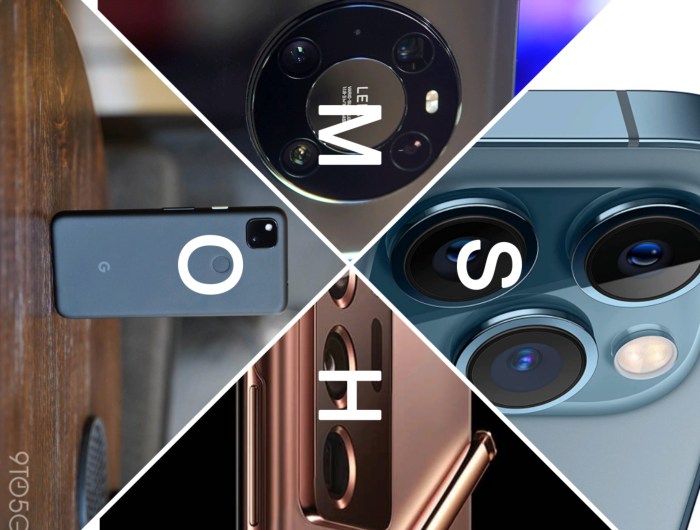
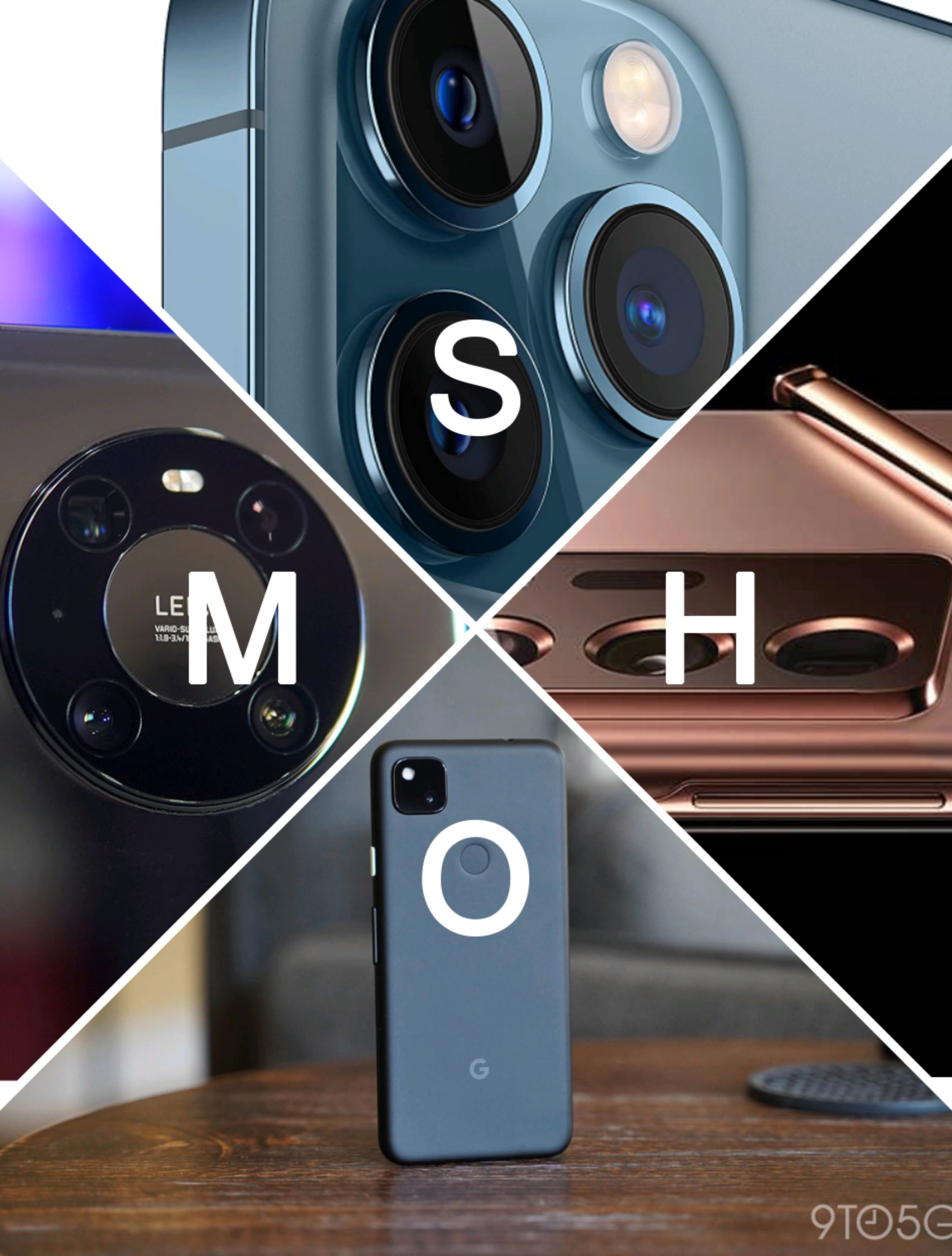
Top 3 camera phone 2021

To 3 camera phones 2021

When looking for the best camera phone, there are plenty of options out there with cameras in smartphones that never stop to get better and better. From new smartphones like the Oppo Find X3 Pro with its microlens camera and the OnePlus 9 Pro with its Hasselblad tuning, to the impressive zoom of the Samsung Galaxy S21 Ultra, and the great general photo performance of the iPhone 12 Pro Max, there are loads of top choices.

There’s a lot to consider though – not just the types of lenses but also how many lenses a phone has, how many megapixels it has, how it holds up in low light, and what the software’s like, among other things. Picking the best camera phone involves more than just looking at a specs list, and depending on what your photographic priorities are, the best one for you might not be the best for everyone. Between different lenses and performance variance in daytime and night, there’s a lot to consider.

So today, Nae tech is back again with the top 3 phones which have been collected and studied for their good cameras.

So one not you dig in and find out more from the list below

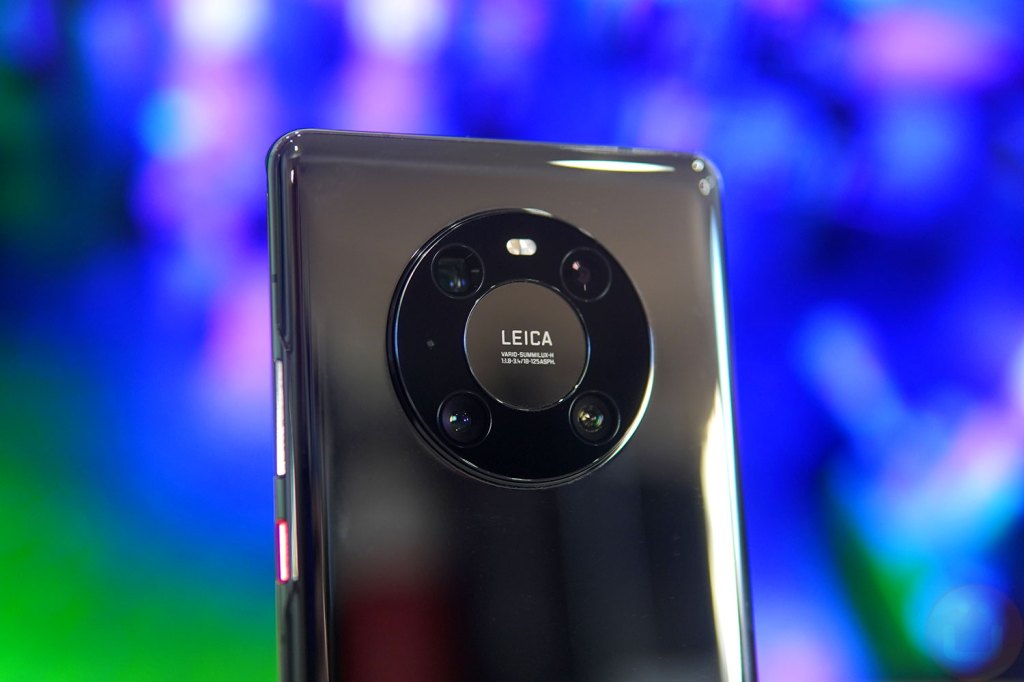
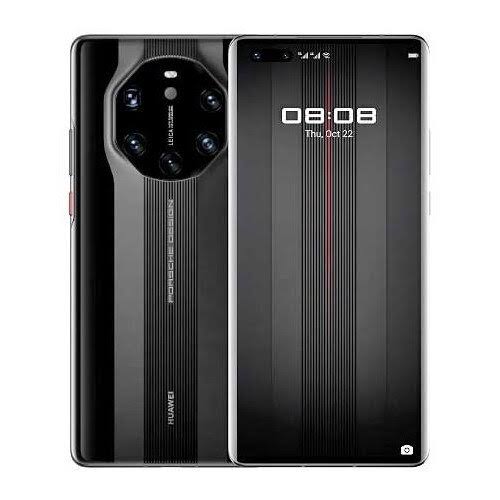
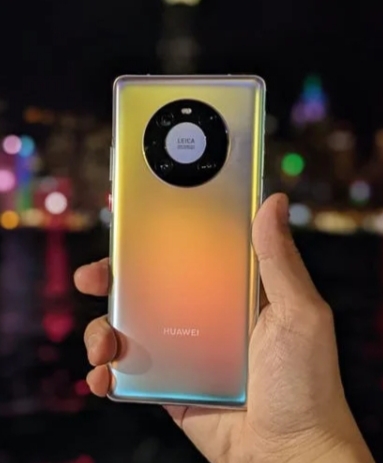
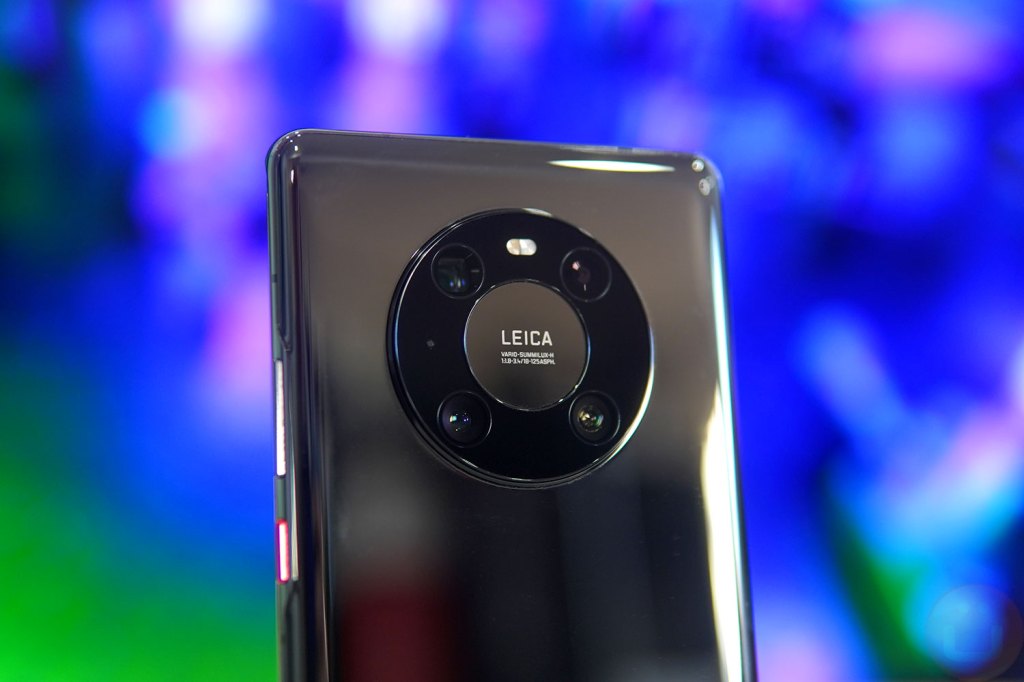
Huawei mate 40 pro camera

1. Huawei mate 40 pro

Specification
Release dateNovember 2020W
Weight212g
Dimensions162.9 x 75.5 x 9.1 mm
OSAndroid 10
Screen size6.76-inch
CPUKirin 9000 5G
RAM8GB
Storage256/512 GB
Battery4,400mAhRear
Rear Camera50MP + 12MP + 20MP
Front Camera13MP
huawei mate 40 pro specification

This device cameras are exceptional. It has a 50MP f/1.9 main camera, a 12MP f/3.4 periscope one (with 5x optical zoom), and a 20MP f/1.8 ultra-wide one.

While that’s not quite as many lenses as some rivals, it’s got all the most important kinds accounted for, and they all perform very well.From portrait shots to wide landscapes, zoomed photos, and close up subjects, we found in our review that the Huawei Mate 40 Pro could cope brilliantly with just about every kind of photo.

It even does a great job in low-light conditions.And while our focus is the rear snappers, the Huawei Mate 40 Pro also has a decent setup on the front, with a 13MP f/2.4 camera joined by a time-of-flight (ToF) sensor for sensing depth.There are loads of photography modes and tools available on the Huawei Mate 40 Pro as well, from a light painting feature to a dedicated moon photography mode.

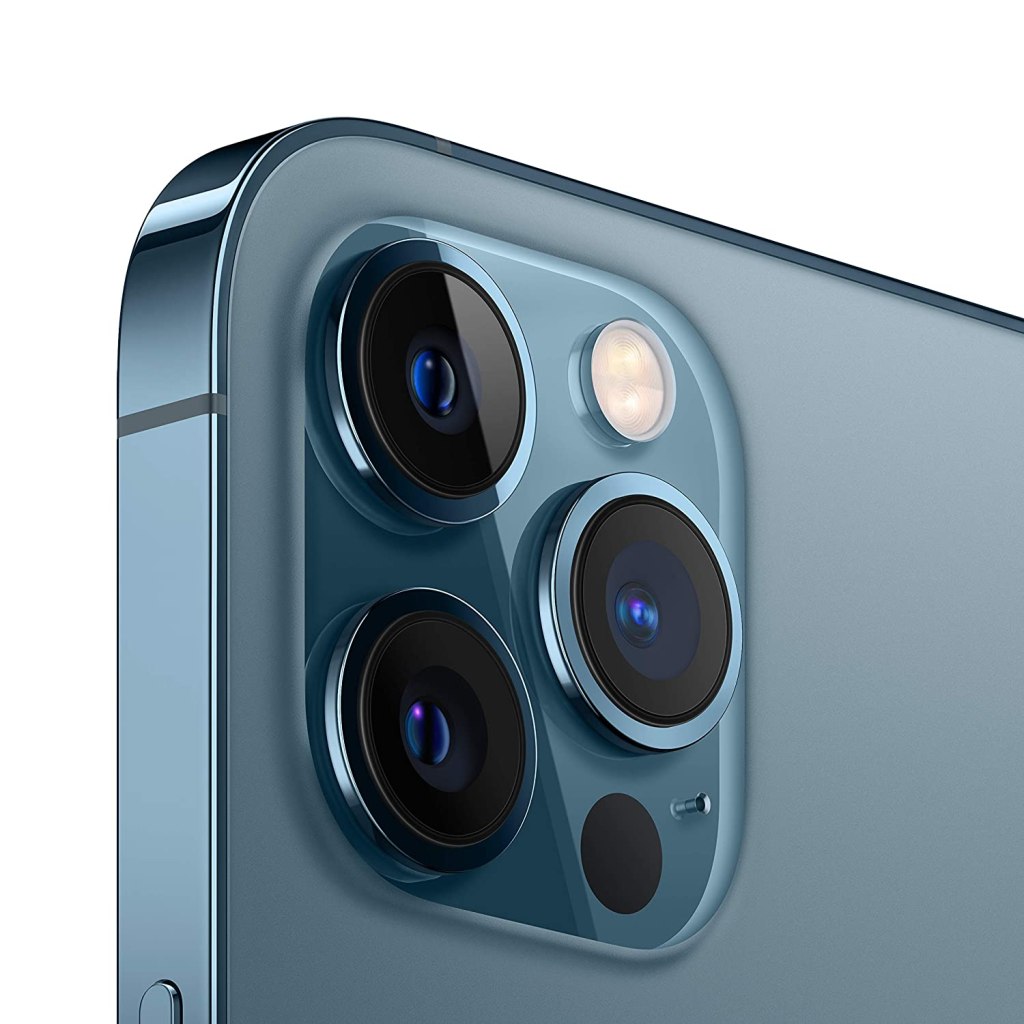
iPhone 12 pro Max camera

2. iPhone 12 pro Max

speciFICATION

Weight228g
Dimesions 160.8mm x 78.1mm x 7.4mm
OSiOS 14
Screen size6.7-inch
Resolution1284 x 2778
CPUA14 Bionic
RAM6GB
Storage128GB/256GB/512GB
BatteryUnknown
Rear camera12MP + 12MP + 12MP
Front camera12MP
iPhone 12 pro Max specification

Announced last month as the top device in the iPhone 12 family, the iPhone 12 Pro Max features the largest screen and the most impressively specified main camera of Apple’s new batch of phones.

The main wide camera has a 26 mm-equivalent f/1.6 lens in front of a 12 MP sensor with 1.7µ photo sites (larger than the 12 MP 1.4µ sensor in the iPhone 12 Pro and the iPhone 11 Pro Max).

It also features a sensor-based optical stabilization system, a first for Apple (most phone camera modules shift the lens rather than the sensor to offset camera movement).

There’s an ultra-wide 13 mm-equivalent camera and a 65 mm-equivalent tele-module that offers a 2.5x zoom over the main camera (a bit more reach than the iPhone 11 Pro Max or 12 Pro), and an unusual LiDAR sensor for building depth maps.On paper, the iPhone 12 Pro Max has the most impressive imaging capabilities to date in an Apple phone.

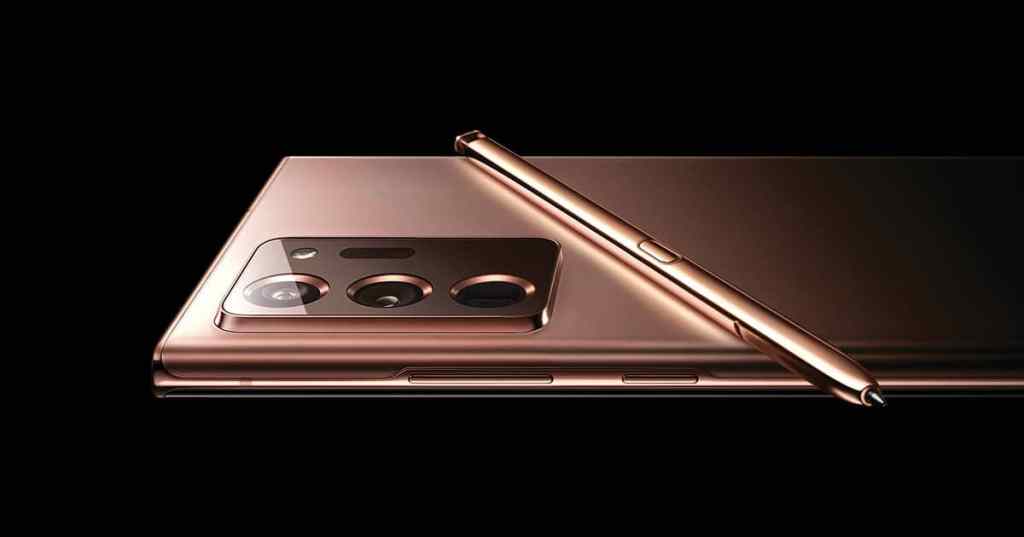
Samsung Galaxy note 20 ultra

3. Samsung Galaxy note 20 ultra

Specification
Release dateAugust 2020
Dimension164.8 x 77.2 x 8.1mm
OSAndroid 10
Screen size6.9-inch
Resolution1440 x 3088
CPUSnapdragon 865 Plus / Exynos 990
RAM12GB
Storage128/256/512gb
Battery4,500mAh
Rear camera108MP, 12MP, 12MP
Front Camera10MP
Samsung Galaxy note 20 ultra specification

The devices camera array starts with a 108MP wide camera with a a f/1.8 aperture, and it’s paired with a 12MP ultra-wide camera with a 120-degree field of view and f/2.2. The 12MP telephoto lens delivers a 5x optical zoom and up to a 50x super resolution zoom.

The Note 20 Ultra’s camera is also incredibly easy and fun to use, and it benefits from extras like 8K video and Single Take mode, which takes a bunch of photos and videos at the same time using the various lenses and modes, to increase the chance of you capturing something good.Low-light photos aren’t quite as detailed as some of the competition, such as the iPhone 12 Pro Max, but otherwise this is an exceptional camera setup

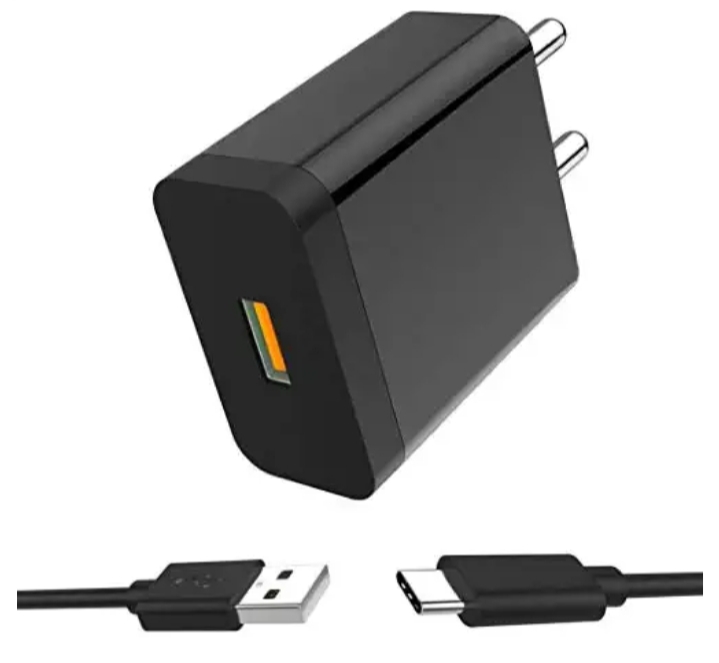
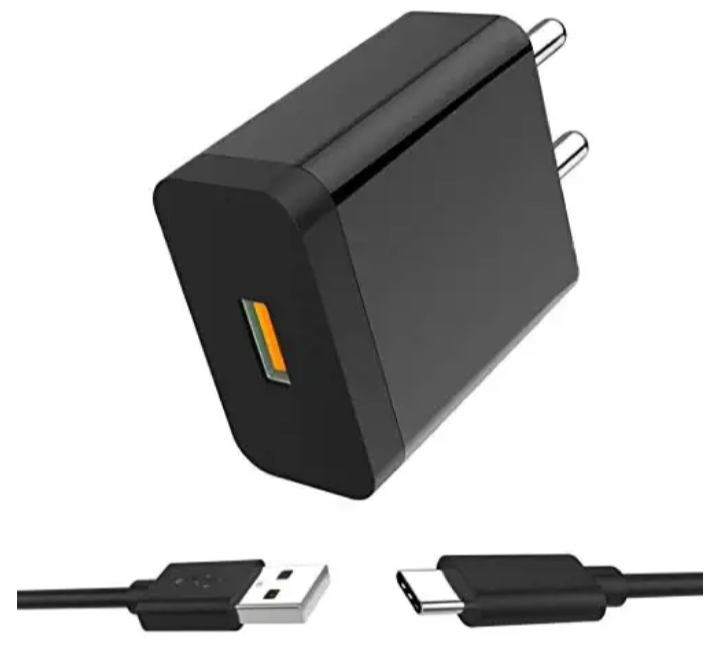
Huawei charger

Huawei Charger

Description

FLASH CHARGING:Equipped with Flash Charging, you can rest easy knowing that all your devices are getting juiced at maximum speeds.

UNIVERSAL MAX SPEED:Charge any USB powered devices at top speed continuously.

All Round Safety:In- Built safety checks like voltage, temperature and current control, protects your connected device from damage due to inconsistencies in the power output.

Indian Connectors:Made for Indian sockets, the wall charger lets you plug in without the need for an adapter And Over-current, Short-circuit and Over-temperature protect your device.

Smart Charge:Auto Detects the connected device and charges it at the fastest speed of the device.

Multi-Protection:It provides xculsive surge protection, short circuit prevention, temperature control, and more to deliver unbeatable protection to you and your devices.

Premium-Design with Compact-Size:High-gloss detailing and comfort grip design gives a sleek look to this powerful device.

This tough and compact charger is definitely your best travel companion. Other Feature:Premium micro chip Multi-ProtectTravel Friendly SEE LESSFeatures & detailsIndian Connectors: Made for Indian sockets, the wall charger lets you plug in without the need for an adapter and Over-current, Short-circuit and Over-temperature protect your device.Smart Charge: Auto Detects the connected device and charges it at the fastest speed of the device.EXCLUSIVE TECHNOLOGY: India’s smallest charger with 2.4 amp power supply. Exclusive quick charge technology automatically detects and delivers the optimal charging current for any connected device – ensuring the quick and most efficient charge.Fire-resistant and hardened plastic outer shell for durability, built-in premium circuitry and microchip ensure device safety.One for all. Charge any single usb or micro usb enabled device. Turbopower supports a wide range of profiles that can take advantage of blazing-fast charging speeds

Huawei charger

Product information

Charger Information

Brand‎ClickTell
Manufacturer‎ClickTell
Model‎Huawei Mate 40 Pro
Model Name‎Huawei Mate 40 Pro
Model Year‎2020
Product Dimensions‎4 x 2 x 8 cm; 90 Grams
Item model number‎Huawei Mate 40 Pro
Special Features‎EXCLUSIVE TECHNOLOGY: India’s smallest charger with 2.1 amp power supply. Exclusive quick charge technology automatically detects and delivers the optimal charging current for any connected device – ensuring the quick and most efficient charge.
Mounting Hardware‎1 Data cable, 1 Adapter
Number Of Items‎1
Batteries Required‎No
Total Usb Ports‎1
Material‎Plastic
Manufacturer‎ClickTell
Country of Origin‎India
Item Weight‎90 g
Charger info

Huawei mate 40 pro review

Huawei mate 40 pro reviews

Huawei be like back again with a new, unique and special device , the Huawei mate 40 pro.

There is a lot to love about this new and admirable device, starting from the fantastic cameras, great build design, battery life, top-notch performance, the mate 40 pro shines.

There’s a lot to say about this device but I’ll begin with the special functions and parts of this device, starting from

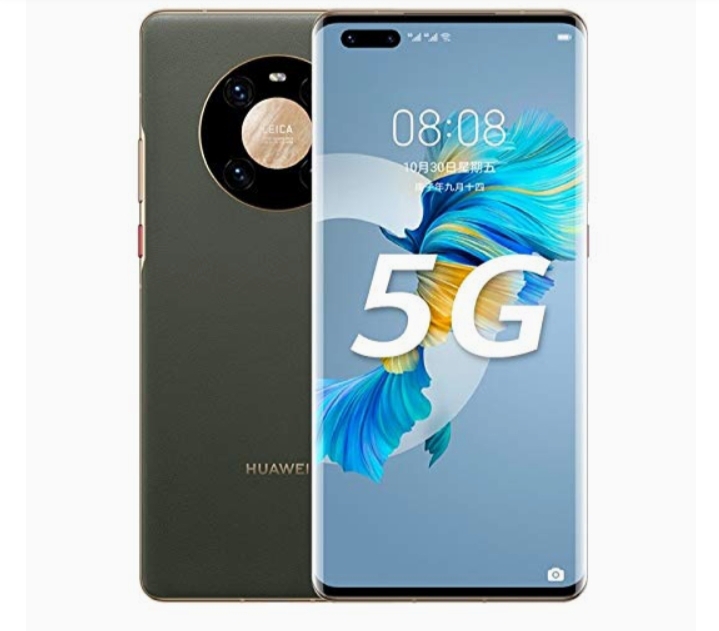
Huawei mate 40 pro 5G

1. 5G support

One of the most exciting thing about this device is the fact that this device supports the 5G network, seams like not only is Huawei staying updated to the surprisingly amazing cameras and builds of phones of the generation, but they are also and most importantly staying updated to the network of this generation.

Currently, the 5G network had become one of the most considered part of choosing a device, and luckily for us, Huawei is staying up to date with that fact.

5G is the 5th generation mobile network. 5G wireless technology is meant to deliver higher multi-Gbps peak data speeds, ultra low latency, more reliability, massive network capacity, increased availability, and a more uniform user experience to more users.

5G offers massive speed improvements and lower latency compared to existing networks, making your online experience better in almost every way.

In telecommunications, 5G is the fifth generation technology standard for broadband cellular networks, which cellular phone companies began deploying worldwide in 2019, and is the planned successor to the 4G networks which provide connectivity to most current cellphones.

5G moves with a speed of 10 gigabits per second

Some of the compound of the 5G network are

  • Data network (DN), e.g. operator services, Internet access or 3rd party services.
  • User plane function (UPF)
  • Core access and mobility Management function (AMF)
  • Authentication server function
  • Session Management Function (SMF)
  • Network Slice Selection Function (NSSF)
  • Network Exposure Function (NEF)
  • NF Repository Function (NRF)
  • Policy Control function (PCF)
  • Unified Data Management (UDM)
  • Application Function (AF)

(More 5G info)

So next time you think of 5G, think of Huawei Mate 40 pro

Huawei mate 40 pro camera

2. Camera

Ever since the very beginning Huawei has been really good in cameras, but it seems like now Huawei has taken an update in their cameras in this Huawei mate 40 pro.

The Huawei mate 40 pro is one of the top 10 best camera phones in 2021 and also one of the top 10 Huawei camera phones.

The Huawei mate 40 pro is known and addored for it’s camera.

awei Mate 40 Pro offers wonderful pictures of high quality. It has the main camera which is Triple, It has 50 MP, f/1.9, 23mm (wide), 1/1.28″, 1.22µm, omnidirectional PDAF, Laser AF, It has 12 MP, f/3.4, 125mm (periscope telephoto), PDAF, OIS, 5x optical zoom, It contains 20 MP, f/1.8, 18mm (ultrawide), PDAF, It has features such as Leica optics, LED flash, panorama, HDR.

MAIN CAMERA
Triple50 MP, f/1.9, 23mm (wide), 1/1.28″, 1.22µm, omnidirectional PDAF, Laser AF
12 MP, f/3.4, 125mm (periscope telephoto), PDAF, OIS, 5x optical zoom
20 MP, f/1.8, 18mm (ultrawide), PDAF
FeaturesLeica optics, LED flash, panorama, HDR
Video4K@30/60fps, 1080p@30/60/120/240/480fps, 720p@960fps, 720p@3840fps, HDR, gyro-EIS
Main camera

Huawei Mate 40 Pro offers superb selfies, It presents a video of 4K@30/60fps, 1080p@30/60/120/240/480fps, 720p@960fps, 720p@3840fps, HDR, gyro-EIS, it has a selfie camera which is Dual 13 MP, f/2.4, 18mm (ultrawide), it offers TOF 3D, (depth/biometrics sensor), it includes features such as HDR, panorama, It has a video of 4K@30/60fps, 1080p@30/60/240fps, the images, videos & text look very sharp & clear, it can take superb images without losing any details.

SELFIE CAMERA
Dual13 MP, f/2.4, 18mm (ultrawide)
TOF 3D, (depth/biometrics sensor)
FeaturesHDR, panorama
Video4K@30/60fps, 1080p@30/60/240fps
selfie camera

3. Ram and memory

Huawei Mate 40 Pro presents lots of RAM & a large memory, It has a high expandable memory via card slot NM (Nano Memory), up to 256GB (uses shared SIM slot), It offers a high internal memory of 256GB 8GB RAM, It offers 512GB 8GB RAM that is very useful for multitasking performance, It has UFS 3.1, It presents a high-end processor & graphics processor.

Huawei Mate 40 Pro dimension of 162.9 x 75.5 x 9.1 mm while it weighs 212 grams. The device is powered by the Kirin 9000 5G Octa-core processor while the GPU is Mali-G78 MP24. The smartphone is pack with 8 GB RAM and 256 GB internal storage.

Huawei mate 40 pro battery test

4. Battery

We spend around 12-17 hours with the phone off the charger, with mostly Wi-Fi connectivity, an hour or so of 5G, Bluetooth always on (with an hour or so of music streaming and an hour or two of calls), and location always on (with around half an hour of GPS navigation).

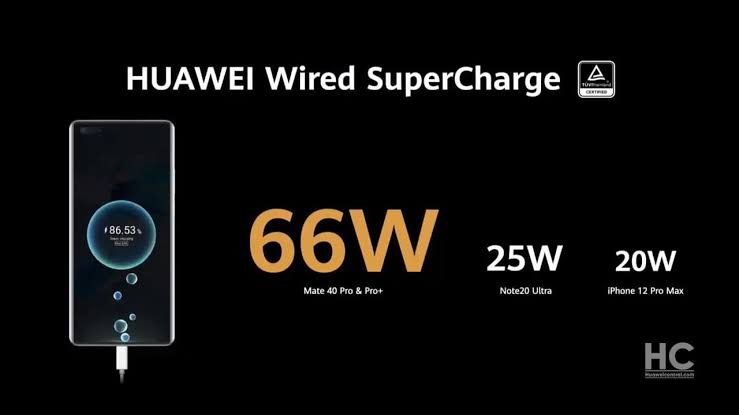
Huawei Mate 40 Pro takes about 49 minutes to recharge 100% battery, with recommended Huawei charger.

Huawei mate 40 pro display

5. Display

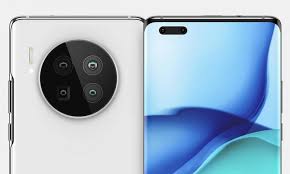
You might find the camera bump pretty eye-catching – it’s a big circle, with the lenses mounted within, as well as the flash module. It doesn’t stick out too much, and gives the phone a distinct and commanding look, as if telling the subject of your photo ‘you’re being snapped by one of the best camera phones out there’.Display6.76-inch OLED displayColors look great90Hz refresh rate lags behind competitionThe Huawei Mate 40 Pro display looks pretty great, though the paucity of streaming service apps means that opportunities for enoying it are somewhat limited.AdvertisementThis screen is 6.76 inches diagonally, which is pretty big, but as we’ve mentioned the design goes some way in mitigating any issues with this. It has a 2772 x 1344 resolution, which is higher than that of many other phones (most stick with 1080p) and as a result images look sharp.

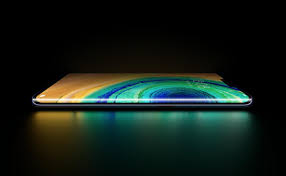
Huawei mate 40 pro display

The OLED HDR10 tech makes colors pop – Huawei claims that the display shows off 16.7 million colors, although we didn’t stop to count. The high max brightness helps with this too.Huawei Mate 40 Pro(Image credit: Future)Fast screen refresh rates are the latest battleground in the smartphone spec wars, but the Huawei Mate 40 Pro caps out at 90Hz, which some might find a little low for a premium smartphone (others hit 120Hz or 144Hz). You can dial this down to 60Hz if you like, which saves battery, but we went with the dynamic mode option, which automatically switched between the two depending on what you’re doing.If we have one issue with the Mate 40 Pro display, it’s the pill-shaped cut-out that houses the two front-facing cameras at the top-left of the screen. It’s not exactly small, with quite some distance between the two lenses, so it cuts a fair amount out of your viewable area.

6. software

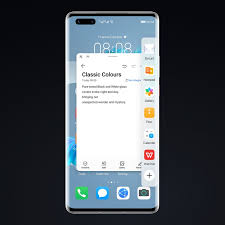
Huawei mate 40 pro software
  • Uses EMUI 11 laid over Android 10
  • No Google apps, including Play Store
  • Huawei’s AppGallery is hit-and-miss

We’ve finally reached the elephant on the phone, the apps situation. We could write thousands of words about AppGallery’s strengths and weaknesses, but to cut it down to six: ‘AppGallery is no Play Store replacement’.

AppGallery does have plenty of apps, but few of the popular ones you’ll likely have installed on your Android device or iPhone. There are few social media apps save Tiktok and Snapchat, no major entertainment services like Netflix, Amazon Prime Video or Spotify, and a relatively trim list of games. We found the social media absence the real killer – we had to use a second phone alongside the Mate 40 Pro for WhatsApp, Instagram, Twitter and the Facebook suite.

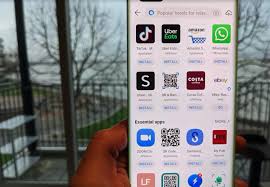
Huawei app gallery

There’s a strange, though not unwelcome, focus on regional apps in AppGallery. In the UK we were recommended plenty of apps from national retailers, catch-up apps from certain channels, telecoms hubs and banking services, and we’d imagine in other countries, you’ll find plenty of apps for you. The UK’s All4 is no substitute for Netflix, though.Advertisement

Perhaps the most annoying absence here is Google’s own apps – especially, of course, the Play Store, but the others too. The lack of Google Drive leaves no mainstream cloud storage services available; Google Maps’ replacement, TomTom GO, is slow, costs money, and only gives driving instructions; the Huawei news feed, replacing Google News, exclusively recommended us tabloid stories, with an emphasis on celebrity clickbait. Some of the Google services are actually available via the browser app, but you shouldn’t have to rely on this kind of workaround to access apps.

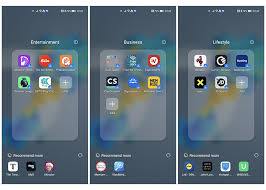
We’ve also got to query the way Huawei handles its apps. When you turn on the phone for the first time, the menu is littered with folders of app icons – these aren’t actually installed on the phone, so we can’t accuse them of being bloatware, and you have to click them to download the app. Still, this feels a little too pushy in the way it encourages you to download the apps – and in the case of dating apps like Tinder and Badoo, whether they’re pre-installed or not you might not be comfortable with having those icons on your phone for a partner, or acquaintances, to see.

To its credit, Huawei does seem proactive in bringing new apps to AppGallery, and in the next few months or years we’ll almost certainly see its app roster swell. But until there are more of the bigger apps you likely use in your current smartphone, it’s hard to recommend the Mate 40 Pro as your next handset.

There is a potential remedy to the app problem in the form of ‘Petal Search’ which comes installed on the phone –  it lets you search for non-app-store ways to install apps, like APKs, straight from the app website, or similar. This technically lets you install apps you otherwise wouldn’t be able to find like WhatsApp and Instagram, and the vast majority of apps you likely use every day are included, though not every single app.

Some might find Petal Search solves all their app problems, especially for social media, with many popular platforms available this way. We didn’t actually use most apps downloaded this way, as our WhatsApp backup and social media logins are tied to our Google account, which means we can’t access them on the phone. 

For people who aren’t in that position, or just want some extra services and games not available through the AppGallery, it’s a valid option. However if your accounts on games, shopping apps and more are tied to your Google log-in, you might have issues. For more information on Petal Search check out Huawei’s website here.

Beyond the app situation, the phone runs Android 10 (Google banned Huawei from using its apps and services, not Android itself) with EMUI 11 laid over the top. 

We’re big fans of EMUI – it has loads of options to change the way the phone works, from visual tweaks (Dark mode, Eye Comfort filter, the ability to change color temperature) to functional (editable always-on display, various navigation options, useful pre-installed apps). It brings quite a big visual overhaul from stock Android, with vibrant backgrounds and app icons, which helps you appreciate the display technology.Advertisement

As with most Huawei phones, EMUI has a built-in step counter, potentially making your fitness tracker redundant if you like this kind of information, though it’s likely not as accurate as a dedicated device.

Good Things

  • Dual stereo speakers.
  • IP68 rating against dust and water.
  • Beautiful 90Hz curved 3D display.
    • Excellent image and video quality
  • Kirin 9000 5G enabled chipset and highly efficient.
  • 66W fast charging and 50W wireless charging
  • Same time Rear and Selfie camera video recording.
  • AI gesture control
  • Available in 4G model with HarmonyOS

Bad things

  • A little expensive.
  • No Google apps.
  • Only 5W reverse wireless charging
  • A little heavy in weight
  • Shared SIM slot for microSD card.
  • Without any gorilla glass protection

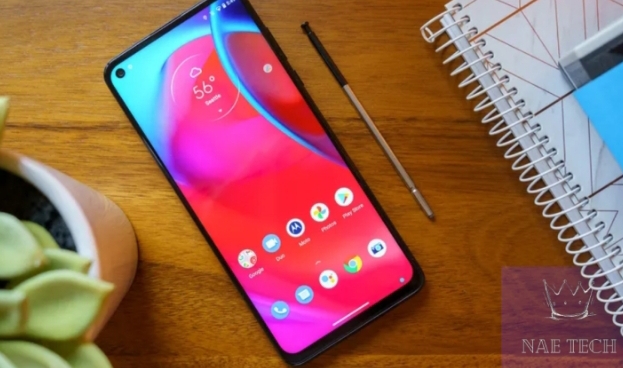
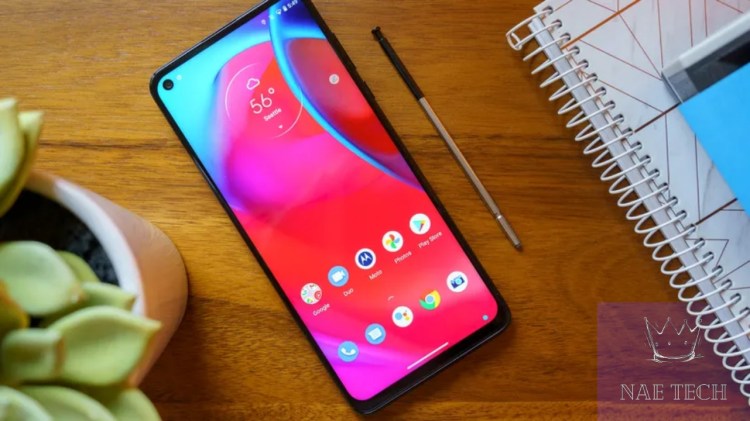
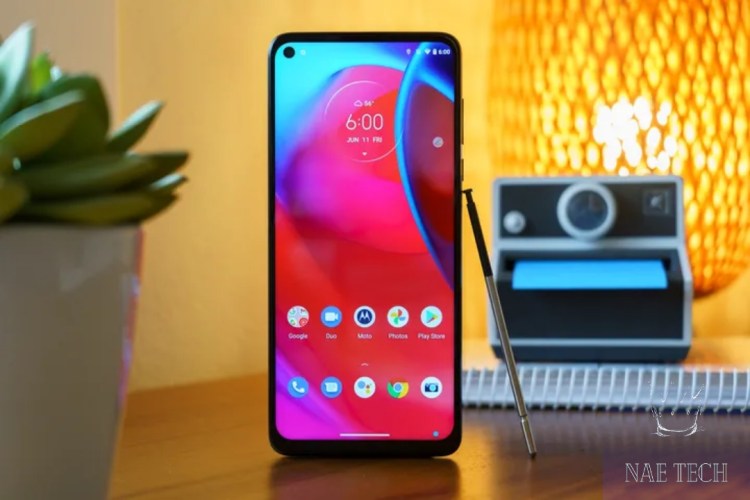
Motorola Motor G stylus

The Moto G Stylus offers a big 6.8-inch screen and 5,000mAh battery.

THE MOTOROLA MOTO G STYLUS 5G IS A GOOD PHONE WITH A TOO-SHORT SHELF LIFE

Share this story

 he Motorola Moto G Stylus 5G, as you may have pieced together, is a phone with a built-in stylus and 5G. It’s a slightly upgraded version of the 4G-only, 2021-edition Moto G Stylus (I’m sorry, that’s really how these phones are named).

The Stylus 5G includes a few more hardware upgrades in addition to 5G connectivity, including a bigger battery, more storage and RAM (256GB and 6GB on the version I tested, respectively), and a newer Snapdragon 480 processor. There’s a new stylus-friendly GIF creator mode, which is fun. Fun is good! But it more or less feels like the same phone: the rear camera array is identical with the exception of a different macro sensor, its 6.8-inch screen is the same, and overall dimensions are similar.

This puts the G Stylus 5G in a kind of awkward spot. At $399, it sits between the $279 G Stylus and the $1,000 Galaxy Note 20 (the next step up if you want a stylus with your phone), but it doesn’t go far enough to clearly offer more than the budget-friendlier version. Performance and battery life are a bit better, but these aren’t really weak spots for the 4G version.

GOOD STUFF

  • Great battery life
  • Handy stylus features
  • Healthy performance

BAD STUFF

  • Only two years of security updates
  • Not a significant upgrade over the 4G-only version

Having 5G is nice, too, but the value is diminished when you consider that the G Stylus 5G is only guaranteed two years of security updates. That’s about when 5G in the US will start getting good, so most of us can get away with a 4G device for the next couple of years.

It all adds up to a good phone without a compelling case to recommend it.

screen and performance

MOTO G STYLUS 5G SCREEN AND PERFORMANCE

he G Stylus 5G is a big phone — big with a capital B. Its 6.8-inch display is about as large as they come, at least until all of our phones start folding and expanding into weird little Transformer-style tablets. It’s a 1080p LCD panel that’s just fine — lacking the nice contrast of OLEDs but still usable in bright daylight conditions.

Battery life is very good, thanks to a large 5,000mAh cell. Using it on Wi-Fi I’ve gotten four hours of screen-on time out of it and it’s only down to 36 percent. You could certainly get two days’ worth of use out of it — including relatively heavy use on cellular data — and even a full day of very demanding use seems reasonable.FOR $400, YOU REALLY SHOULD GET MORE THAN A COUPLE OF YEARS OF SUPPORT FOR YOUR DEVICE

Performance is good, too; jumping between apps is quick and smooth, and heavier tasks like zooming in and out of Google Maps shows only a bit of stuttering. There’s minimal but noticeable shutter lag in the camera app, which feels like a problem this phone shouldn’t have, but not enough to ruin anyone’s day.

The G Stylus 5G ships with Android 11 and will only be supported with one major OS platform update and two years of security updates. That’s an unfortunately short lifespan, especially considering that Samsung’s Galaxy A-series phones are now guaranteed four years of security updates. For $400, you really should get more than a couple of years of support for your device.

The phone’s stylus features are basic but make it easier to do things like add handwriting to an Instagram story post.

A couple of side notes on the Stylus 5G’s 5G connectivity: at launch it will work on Verizon and T-Mobile’s 5G networks but will operate as 4G-only on AT&T. Motorola says AT&T 5G support will be available “in the coming months.” It’s not compatible with any of the networks’ mmWave 5G (the super fast, hard-to-find variety), but that’s not a big loss. More importantly, it will work with the C-band 5G frequencies Verizon and AT&T will start using at the end of the year.

The Stylus 5G’s stylus features are basic but adequate. The capacitive stylus is spring-loaded into the phone’s lower right corner and automatically brings up a quick menu of options when you remove it. If you’re on the lock screen, you can jot down a note without having to unlock the device, which is handy. You won’t find productivity features or neat tricks like wireless control a la the Note series, but rather some handy shortcuts to grab a GIF or doodle on a screenshot. They’re useful and fair for the price.

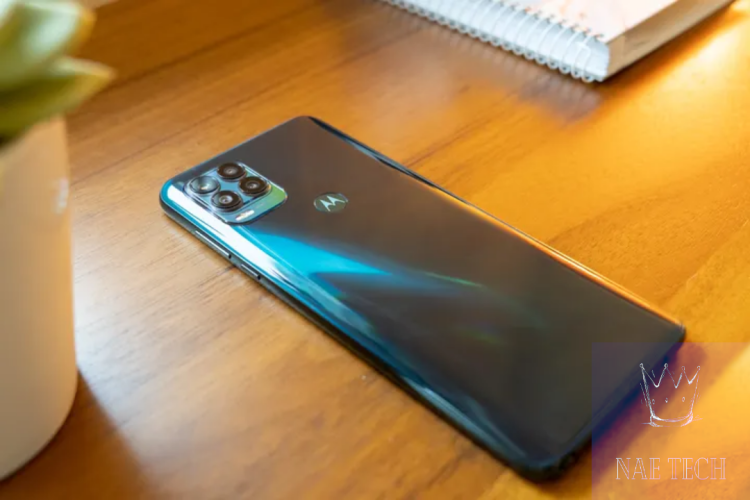
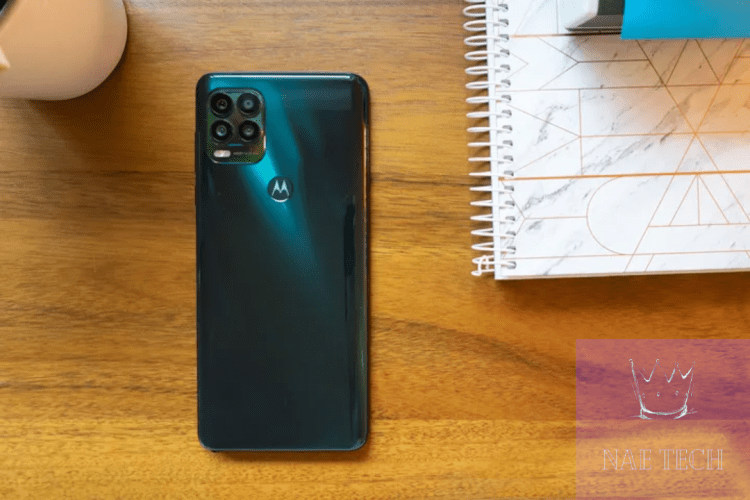
There are standard wide, ultrawide, macro, and depth cameras on the Stylus 5G’s rear panel.

MOTO G STYLUS 5G CAMERA


he 5G offers three rear cameras — The 4G G Stylus has a 2-megapixel macro camera, but that’s the only difference between them.

Much like the 4G version, the Stylus 5G takes good photos in abundant light with a surprising level of detail, thanks to the way it processes 48-megapixel images into 12-megapixel files. The ultrawide camera is nice to have, though its images can be a little noisier in challenging lighting conditions, and the macro camera is still underwhelming, despite the modest resolution boost. GRID VIEW

 he main camera is prone to some drastic color shifts with even slightly different compositions of the same scene and subject — in one shot my orange cat is orange, and in the next one taken at a slightly different position, he suddenly looks blue. This happens more frequently in mixed lighting conditions, which many cameras will struggle with, but it popped up just often enough in my testing to annoy me.

The Moto G Stylus 5G doesn’t quite do enough to stand out.

he 4G-only G Stylus is a good deal for $279, and there’s nothing really wrong with the $399 G Stylus 5G, but it’s harder to justify its higher cost. With only a couple of years of security updates guaranteed, this phone will only see the beginning of truly good 5G in the US. It’s a nice step-up option if you’re inclined toward a stylus phone and the Note isn’t in your budget, but for most people, I’d recommend either sticking with the 4G-only model for a couple of years or looking into a 5G phone with a little more longevity.STYLUS ENTHUSIASTS ON A BUDGET HAVE A GOOD OPTION IN THE MOTO G STYLUS 5G

If you’re more interested in the big screen and battery than the stylus, you could save quite a bit and go with the Moto G Power (2021). Its processor isn’t as good and you miss out on the ultrawide camera, but if you want to cover the basics for a couple of years, it will do.

On the other hand, if you can afford to spend a little more and you do want to get more than a few years out of your phone, the Samsung Galaxy A52 5G is a great pick. It has a big, lovely screen, 5G, and comes with a generous support policy. Stylus enthusiasts on a budget have a good option in the Moto G Stylus 5G, but most others could do better elsewhere.

AGREE TO CONTINUE: MOTOROLA MOTO G STYLUS 5G

Every smart device now requires you to agree to a series of terms and conditions before you can use it — contracts that no one actually reads. It’s impossible for us to read and analyze every single one of these agreements. But we started counting exactly how many times you have to hit “agree” to use devices when we review them since these are agreements most people don’t read and definitely can’t negotiate.

To actually use the Motorola Moto G Stylus 5G, you must agree to:

  • Motorola Privacy Policy
  • Google Terms of Service
  • Install updates and apps: “You agree this device may also automatically download and install updates and apps from Google, your carrier, and your device’s manufacturer, possibly using cellular data. Some of these apps may offer in-app purchases.”

To add a Google account, you’ll also need to agree to two more things:

The following agreements are optional:

  • Back up to Google Drive: “Your backup includes apps, app data, all history, contacts, device settings (including Wi-Fi passwords and permissions), and SMS.”
  • Use location: “Google may collect location data periodically and use this data in any anonymous way to improve location accuracy and location-based services.”
  • Allow scanning: “Allow apps and services to scan for Wi-Fi networks and nearby devices at any time, even when Wi-Fi or Bluetooth is off.”
  • Send usage and diagnostic data: “Help improve your Android device experience by automatically sending diagnostic, device and app usage data to Google.”
  • Carrier location access: “Your carrier occasionally requires location data to improve its services and analytics.”

Additionally, for Google Assistant, there’s an option to agree to use Voice Match: “Allows your Assistant to identify you and tell you apart from others. The Assistant takes clips of your voice to form a unique voice model, which is only stored on your device(s). Your voice model may be sent temporarily to Google to better identify your voice.”

Final tally: three mandatory agreements to use the phone at all, another two for Google account services, and six additional optional agreements.

Our favorite earbuds

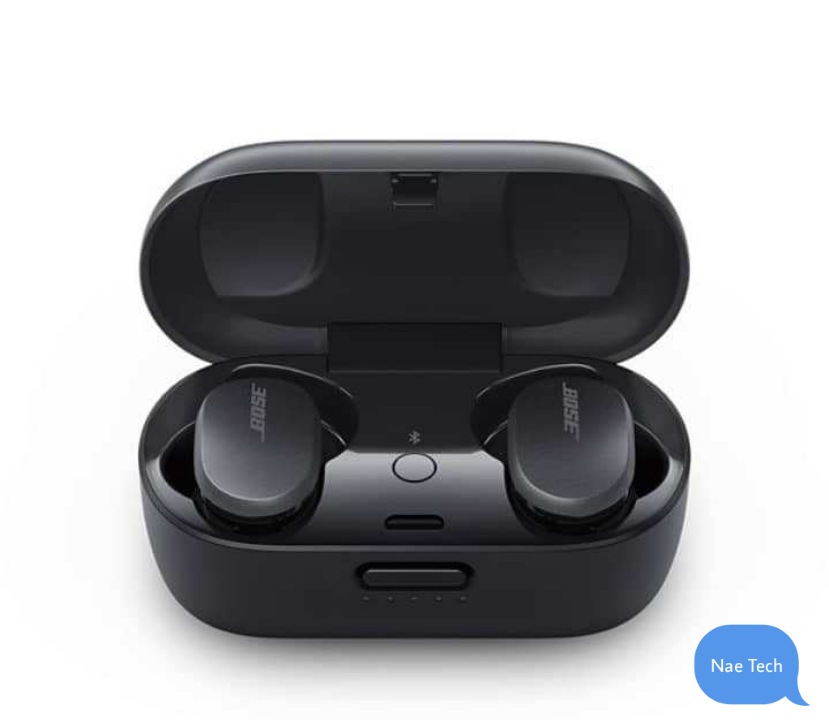
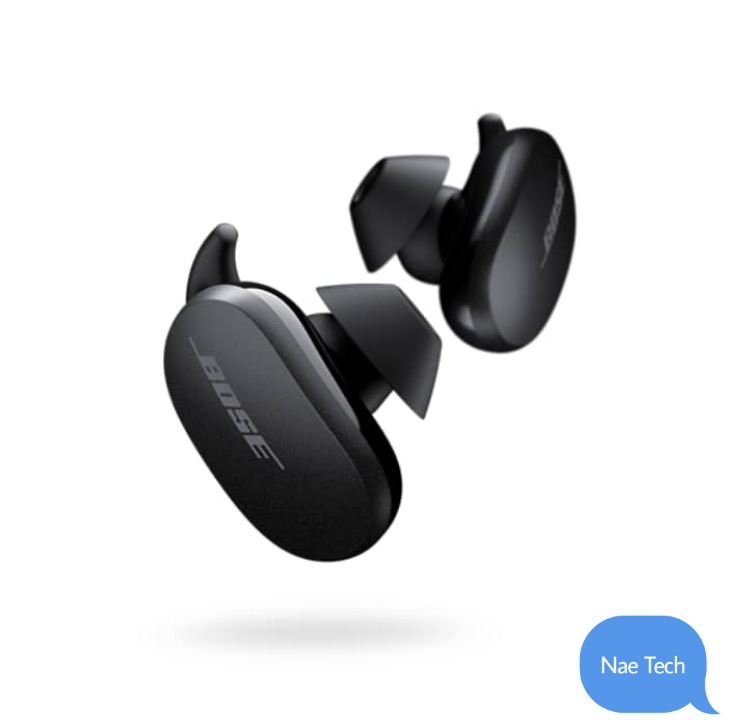
Bose QuietComfort earbuds

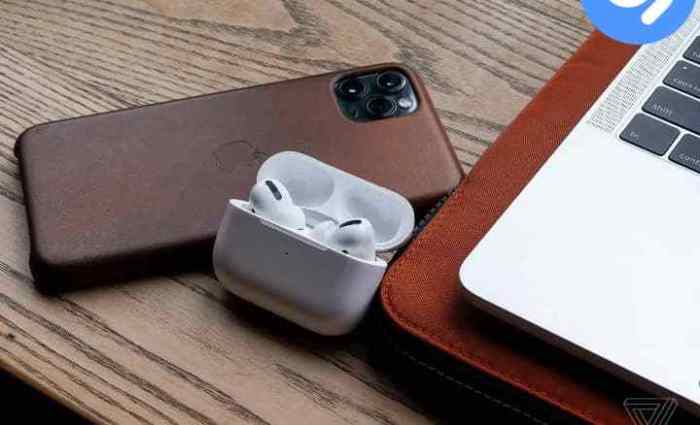
Despite the fact that the Bose QuietComfort earbuds are too big compared to the apple airpod pro, the are well known for their excellent sound quality due to their effective noise cancellation.

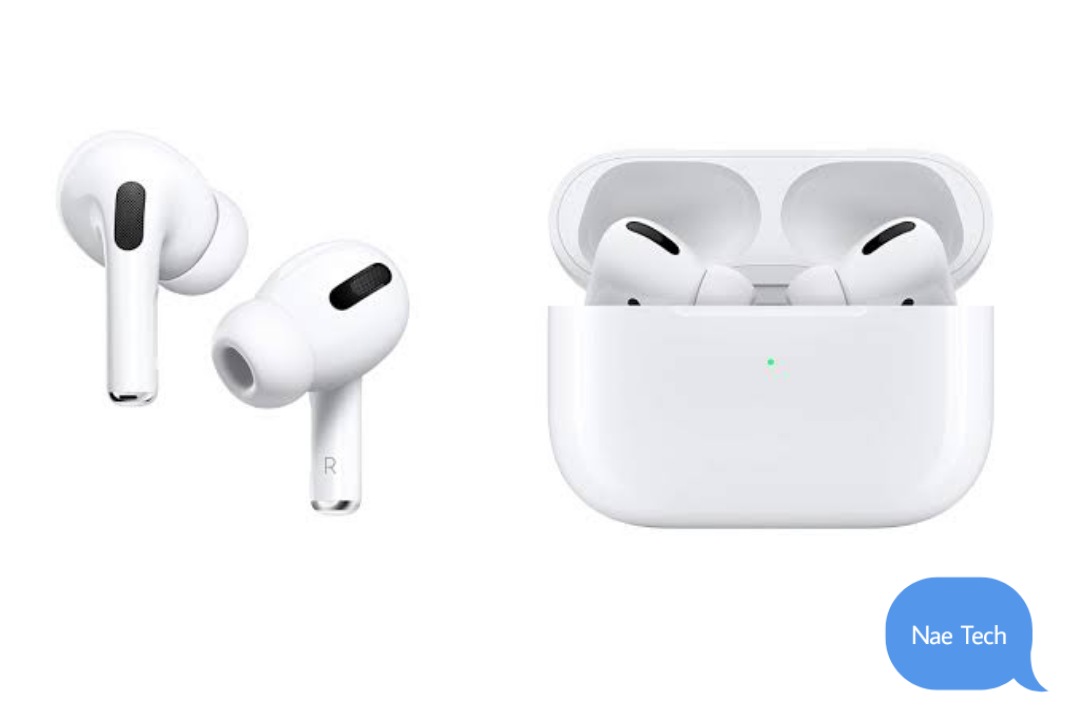
Apple Airpod pro

Apples Airpods are the most popular headphones in the world. Though they are the most expensive Airpods yet, the sound quality due to their noise cancellation feature and their in-ear designs, give users a quality sound, and that makes it worth it.

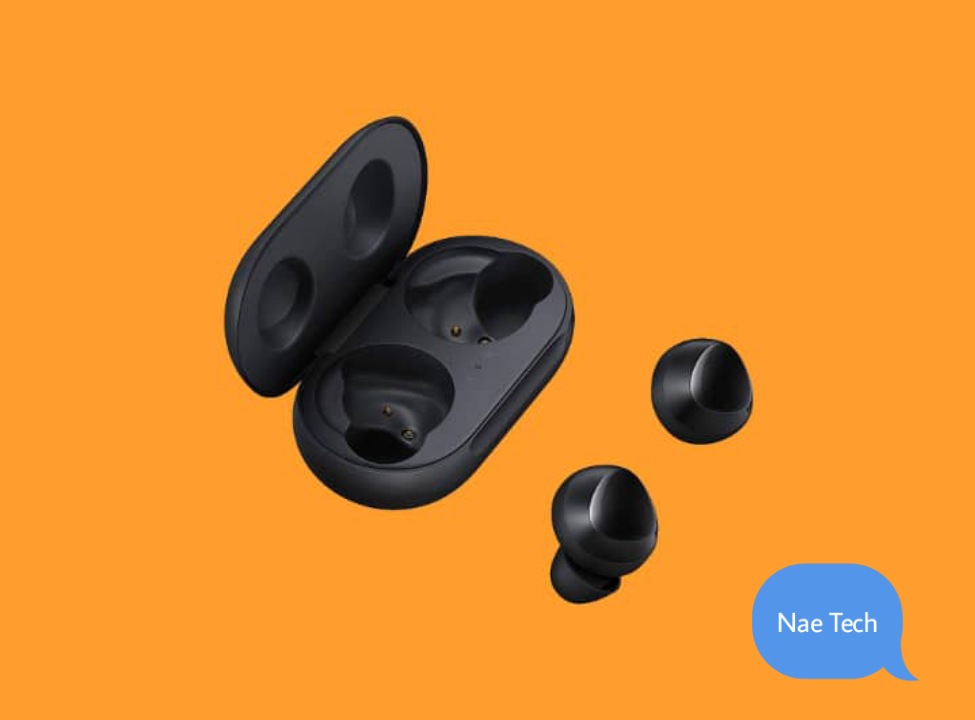
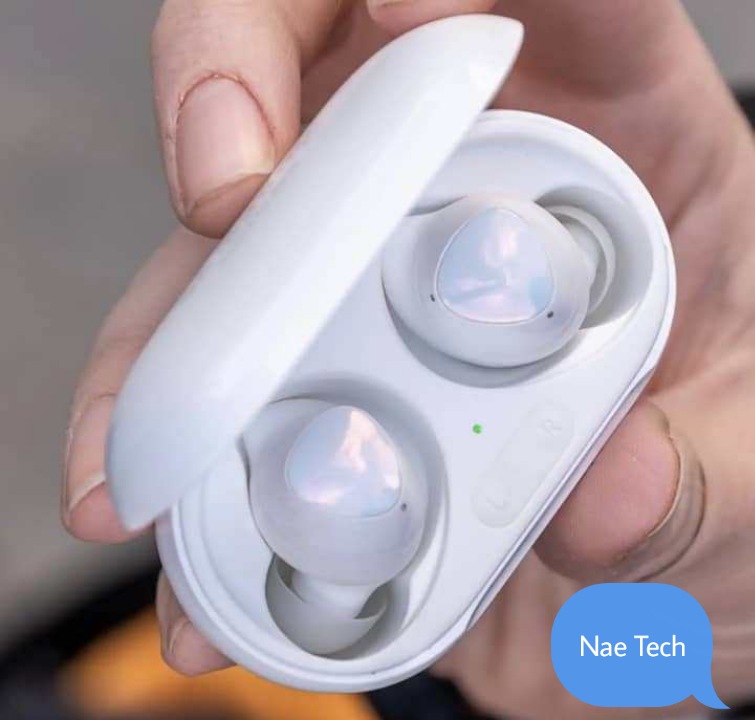
Galaxy buds plus

With the plastic build and small structure of the samsung galaxy buds plus, it provides a user with great comfort and lightweight. though the sound quality was merely fit …